

Land Line (POTS) Connection
The telephone hybrid channel handles two phone lines:- A conventional land line (2-wire).
- A Bluetooth-paired mobile phone.
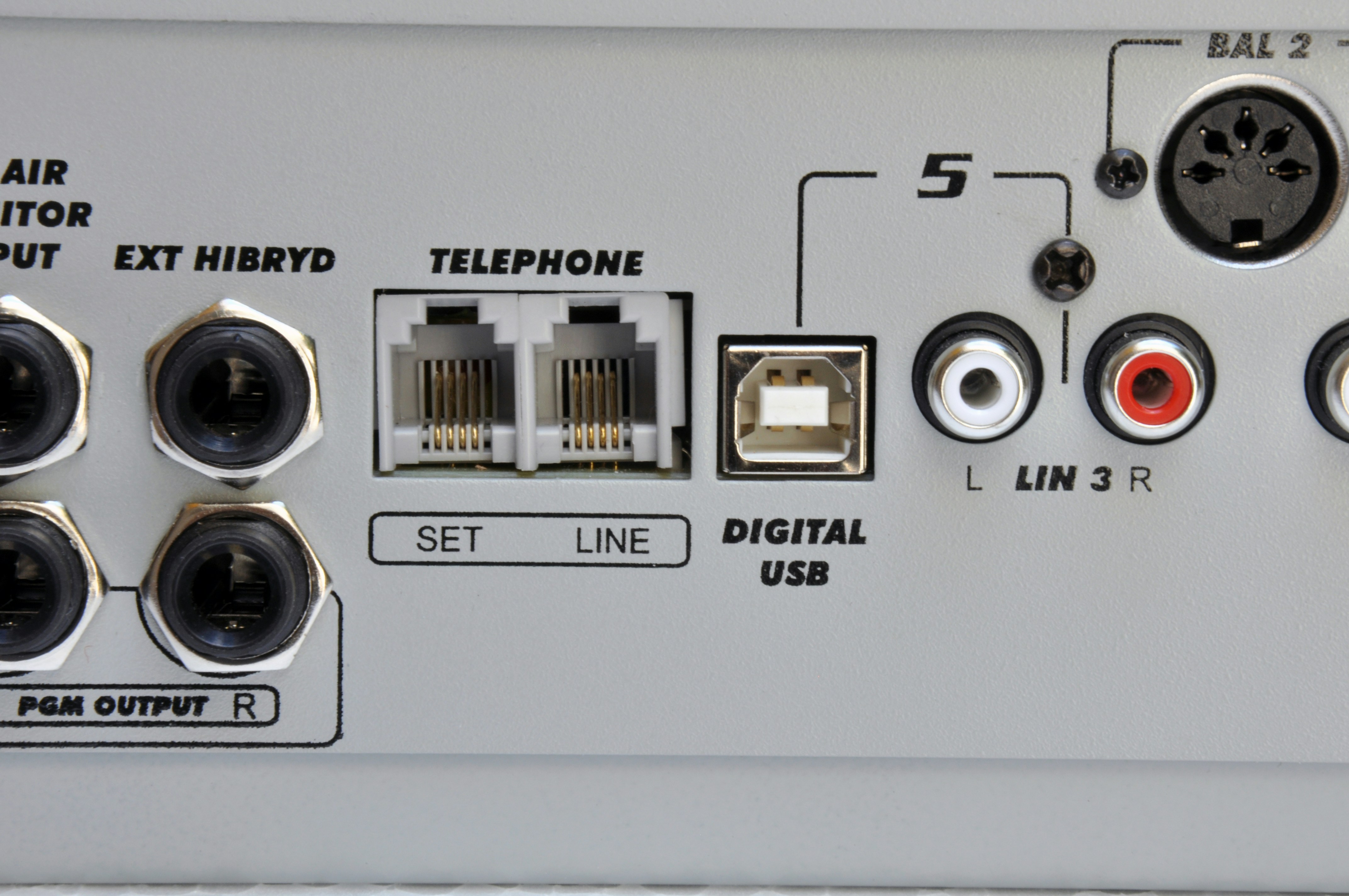
- One for the line.
- Another for the associated phone.
Private PBX systems may degrade the hybrid’s rejection; using public lines is recommended whenever possible.
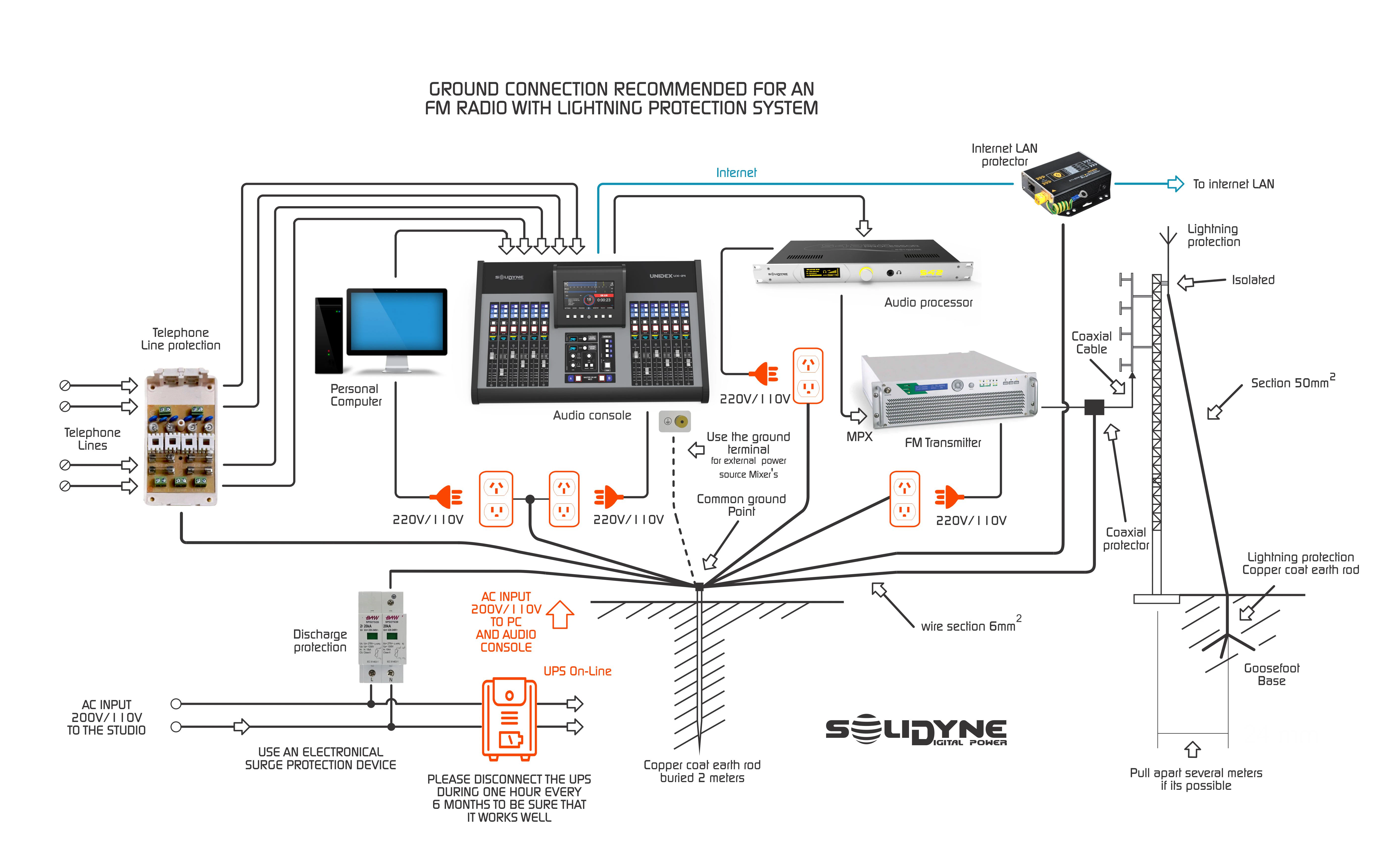
Protections
The lines are internally protected against high voltage surges (indirect lightning strikes) using metal oxide varistors.Recomendación general para puesta a tierra y protecciones
Null Adjustment
This adjustment applies only to the land line (POTS). It is performed once during installation.The null prevents the transmitted signal from returning mixed with the remote caller’s voice, improving the local voice quality. Procedure:
- Establish a phone call through the telephone hybrid.
- Have an announcer speak into the microphone to the person on the line.
- Adjust the line level (Telephone Control knob) until the PGM VU meter reaches the red zone.
- While listening to the local voice on PGM, turn the NULL preset until achieving identical quality to what is perceived with Telephone Control fully closed.
A practical method: turn NULL to both extremes, listen for the degradation, and locate the midpoint where the sound is optimal (null or very little coloration). - Repeat the adjustment if you change phone lines.
Mobile Phones (Bluetooth)
Any Bluetooth-enabled phone can be paired with the D612. Once paired, the connection is established automatically when Bluetooth is active on both devices. Range: up to 10 m (it’s recommended to keep the mobile phone near the console, though not on top of it).Pairing Procedure
-
On the console: Verify that the Bluetooth LED is off (the LED is located on the VU meter panel).
- If it is on (slow green blink, 1 every 2 s), turn it off by holding the Bluetooth button in the Hybrid section.
-
With Bluetooth off, hold the Cellular Phone Bluetooth button for about 10 s until the LEDs flash alternately green/red. The console enters search mode.
Note that Bluetooth first turns on in normal mode with a slow blink. Do not release the button until the fast blinking starts.
- On the mobile phone: Search for Bluetooth devices (the procedure depends on the model).
-
Select the Solidyne BTM641 device (or BTM751 on very old units).
- If prompted for a PIN, enter 0000.
- The devices are now paired. The LED remains green with a slow blink (1 every 2 s), indicating Bluetooth is active.
Re-pairing a Paired Device
- Turn on Bluetooth on the D612 by holding down Cellular Phone Bluetooth until the green LED lights up (≈5 s).
The green LED will blink slowly. - Activate Bluetooth on the mobile phone.
When the connection prompt appears, the console is ready.
On some phones, reconnection is not automatic. You will need to manually select Solidyne BTM641 from the list of Bluetooth devices.
Volume Adjustment
- This adjustment is independent of the phone’s speaker volume.
- If you adjust the volume without pairing Bluetooth, it only changes the mobile phone’s speaker volume.
- The phone remembers the last Bluetooth level setting.
- If you switch mobile phones, repeat the adjustment.
Disabling Bluetooth on the Console
Hold down Cellular Phone Bluetooth until the LED turns off completely.External Hybrid
The D612 features a connector for send and return to an external telephone hybrid.- 6.35 mm (TRS) Jack: combines input and output.

- Tip: MIX-MINUS send (program audio without telephone line audio). This signal connects to the external hybrid input.
- Ring: return from the external hybrid (line audio). Connects to the external hybrid output. In the console, it’s summed to the PGM output via the internal hybrid channel.