

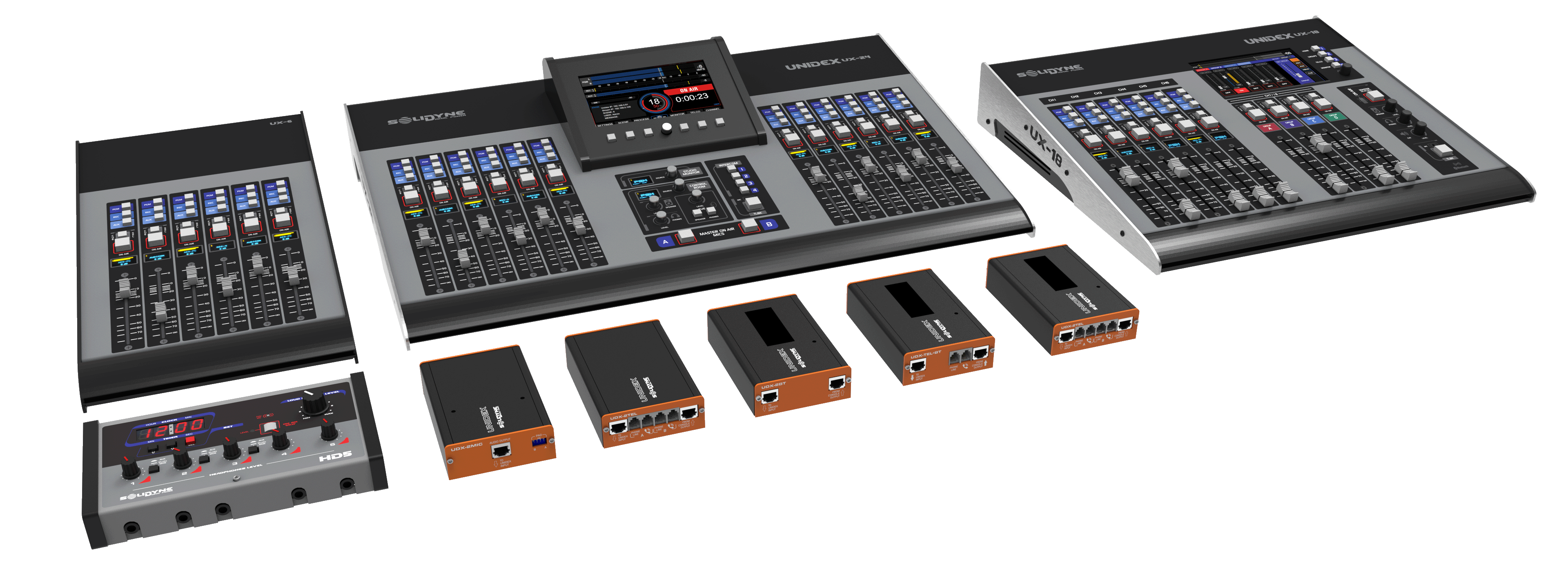
UX18 and UX24 Models
The UNIDEX Series includes two mixing console models: UX24 and UX18. Both models share features and operating modes. To simplify the documentation, common aspects are explained in this section. The UX24 and UX18 menu entries detail the specific operational and configuration particulars of each model.UDX Adapters
- UNIDEX stands for “UNIversal Desktop with EXternal adapters”. They are external interfaces that connect directly to the console to input different types of signals (telecommunications, microphones, USB, etc.).
- The UNIDEX-type inputs on the console are balanced line inputs with expanded capabilities, which support the connection of UDX adapters.
- They connect directly to the console: no routers, switches, or networks are required.
- The adapters communicate data and function control from the console surface.
Audio over IP (optional)
- Enables advanced interconnection between devices and studios via an audio network.
- Requires a dedicated network and compatible DANTE/AES67 input/output nodes.
- Control via WEB interface from remote studios.
Hardware
- Internal processing: Full-digital 24-bit @ 48 kHz DSP.
- 100 mm soft-touch high-durability faders:
UX24: 12 physical faders + 12 virtual faders on 7” touchscreen
UX18: 10 physical faders + 8 virtual faders on 7” touchscreen - UX24 expandable to 18 or 24 physical faders with UX6 panels (6 faders each).
Connectivity
- All I/O is via RJ45 on the rear panel.
- RJ45→XLR/TRS/RCA adapter cables are available.
On-air operation
- Plug & play: factory-configured, ready to use.
- No advanced knowledge required.
- Operation similar to a traditional console.
- Audio processing is adjusted on the touchscreen.
User Levels
- Basic: access to minimal functions.
- Intermediate: includes advanced options.
- Administrator: full access to configuration and settings.
Advanced Flexibility
- Assign any input to any of the physical faders or to the virtual ones.
- Create scenes with channel settings and processing.
- Remote control and configuration via IP (WEB browser). Allows setting up an auxiliary studio controlled from a screen, without needing an additional console.
- Use VST effects in real time via USB ASIO and an external computer.
- Supports up to two simultaneous on-air studios (UX24 model).
All functions and settings are managed from the touch screen or via IP from a browser on a tablet or computer.