

Input Level
The Audimax 362HD does not have manual input level control.Adjustment is automatic via the AGC system.
- The rear panel features input connectors for balanced (XLR and RJ45) and unbalanced (RCA) equipment.
- It can be connected from non-professional consoles (–10 dBV) to broadcast consoles with balanced outputs at +4 dBu or even +8/+12 dBu levels.
- The AGC eliminates level variations inherent in operation or recorded material:
- If the level remains low, it compensates the signal to maintain uniform output.
- If the level consistently exceeds 0 VU, it attenuates to prevent overload.
Check Input Level
The AGC (see section 2 image) features a three-stage indicator: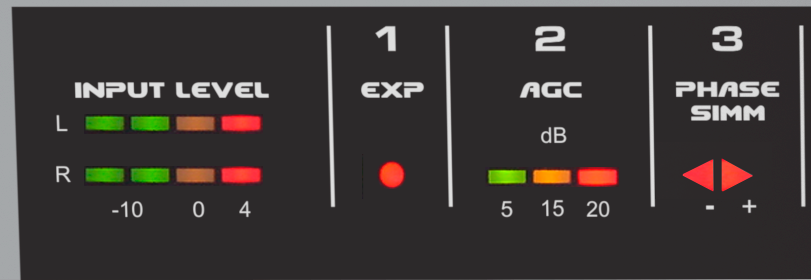
- The first LED (green) should remain lit in the presence of music or voice.
- The second LED (yellow) should light up during peaks or remain steadily lit.
- The third LED (red) should never remain permanently lit.
Sound Customization
The Audimax 362HD has been designed for easy and intuitive operation. No specialized audio processing knowledge is required to set it up and adjust its sound. Initial setup: simply set all controls to center position… and you’re done!You’ll be on-air with proper sound quality. Sound customization is achieved through seven rotary controls on the front panel.
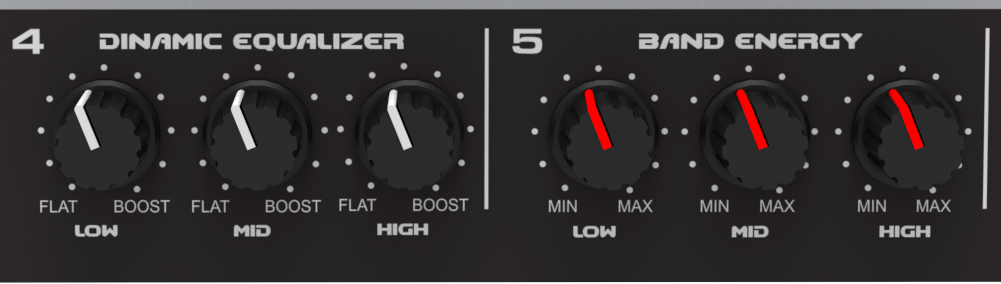
Dynamic Equalizer
The 3-band dynamic equalizer acts on the compression thresholds of each band.Unlike a conventional equalizer, its effect increases with higher signal levels.
- Ensure the multiband compressor is engaged (“Multiband compressor” LEDs lit).
- Adjust the Dynamic Equalizer knobs for low, mid, and high frequencies:
- Turn left → increases compression in that band.
- Turn right → decreases compression, freeing the band and boosting those frequencies.
Maintain a balanced relationship between the three bands. Extreme differences create imbalance between lows, mids, and highs.
- To achieve impact in low frequencies, slightly free this band compared to mids and highs.
- Remember listeners may boost bass on their receivers; therefore, deliver clean low frequencies without over-compression.
Band Energy
These controls increase peak density in the bands, modifying the release times of the compressor.- To the right → compact and aggressive sound (fast release).
- To the left → smooth and more dynamic sound (slow release).
Multiband Compressor
It is the heart of the processing. The indicators show the action of the band compressors.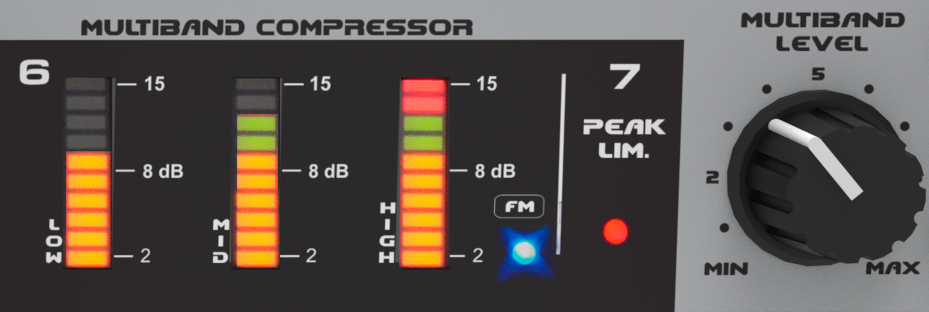
It is the control that most impacts the sound of the radio.
- To the left → soft sound, less processed, with lower energy.
- To the right → strong sound, with more energy, but with less dynamics and less naturalness.
A proper working level is achieved when the multiband compressor indicators act without reaching maximum illumination.
- For natural and balanced voices: middle or lower position of the Multiband control.
- For more intense processing: use slow recovery times (Band Energy to the left).
Relationship Between Controls
For Dynamic EQ and Band Energy to function, the multiband compressor must be active. This means that in each band, at least the first LEDs must be lit.Without multiband compression, the controls have no effect, as they are associated with the compression process.