

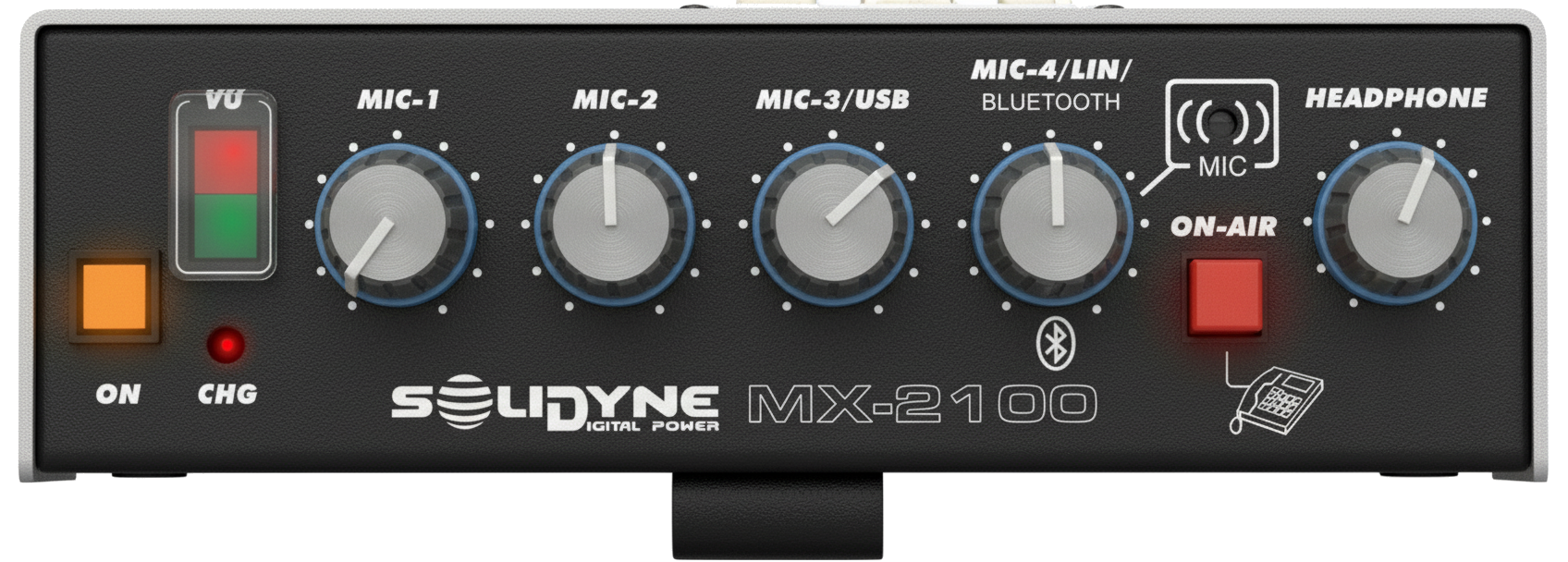
Front Panel
Power On
The unit is powered on by pressing the ON button, whether it is connected to the charger or operating on internal battery.When the unit is connected via USB, to the charger, or to a computer, the charge indicator LED (CHG) remains lit even when the console is off.
Battery life: 16 hours of continuous use.
Total charging time: 12 hours.
The charging system automatically reduces the current when it reaches 100%, so it can remain connected indefinitely.
Battery life: 16 hours of continuous use.
Total charging time: 12 hours.
The charging system automatically reduces the current when it reaches 100%, so it can remain connected indefinitely.
Program Mixer
The program signal (PGM) is generated from the sum of the sources: MIC-1, MIC-2, MIC-3, MIC-4 (built-in), LINE, Bluetooth, and USB.Some inputs share controls and their availability depends on the console’s connection method.
- The PGM signal is sent to the radio via telephone or computer with Internet.
- It is also present at the BAL OUT connector on the rear panel.
- MIC-4 signal is available if USB or the line input is NOT being used.
- LINE signal is available only when LIN-4 is connected (overrides MIC-4).
- Bluetooth return is available in the PGM mix only when the console is connected via USB (scenario of transmission from the external computer).
Headphones
The headphone mix varies depending on the usage mode:- (a) Telephone communication (land line or Bluetooth):
- PGM mix: MIC-1, MIC-2, MIC-3, and Line/MIC-4.
- Direct return from Studios (hybrid or Bluetooth).
- Ring tone on incoming calls.
- (b) USB and external computer with unidirectional streaming:
- PGM mix: MIC-1, MIC-2, USB, and Bluetooth (used to bring another mobile phone on-air).
- Return from USB (return from Studios is not used due to streaming delay).
- (c) USB and external computer with real-time link (VoIP):
- PGM mix: MIC-1, MIC-2, MIC-3, and LINE.
- USB return (Studios).
- Bluetooth return.
- Hybrid return.
The field reporter hears themselves through the program mix.
The operator in Studios does not need to forward their signal.
The operator in Studios does not need to forward their signal.
Level Indicator
- Dual LED indicator shows the action of the internal compressor.
- Green LED: low level, no compression.
- Red LED: indicates compression.
- The greater the compression, the higher the intensity of the red LED.
The proper operating level is achieved when signal peaks occasionally activate the red LED.
Compressor Action
The MX2100 incorporates an automatic compressor + limiter, which keeps signal peaks constant at the output.- Improves the signal-to-noise ratio.
- Ensures uniformity across different transmission channels.