

Software Update
UX24 models manufactured from 2023 onwards allow software updates by accessing the web interface from a computer with Internet access.For earlier models that do not include this feature, please write to: [email protected]. Components that can be updated:
- Mixing engine firmware (hardware).
- Graphical interface.
- Streaming tools.
Update Procedure
- Connect the Ethernet Streaming Out and Remote Control ports of the console to the local network.
- Ensure the network has Internet access.
- On the console’s main screen, verify the IP address assigned to STREAMING IP.
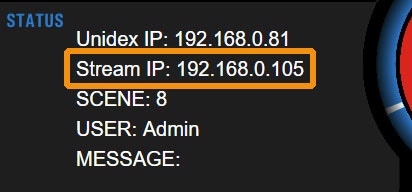
Solidyne Multi-DiscoverySi no se tiene acceso físico a la consola, se puede descargar la herramienta Multi-Discovery que detecta dispositivos Solidyne conectados a la red.
-
In the browser, enter the IP address followed by
/update.
Example:192.168.0.88/update -
Press Enter to open the update screen.
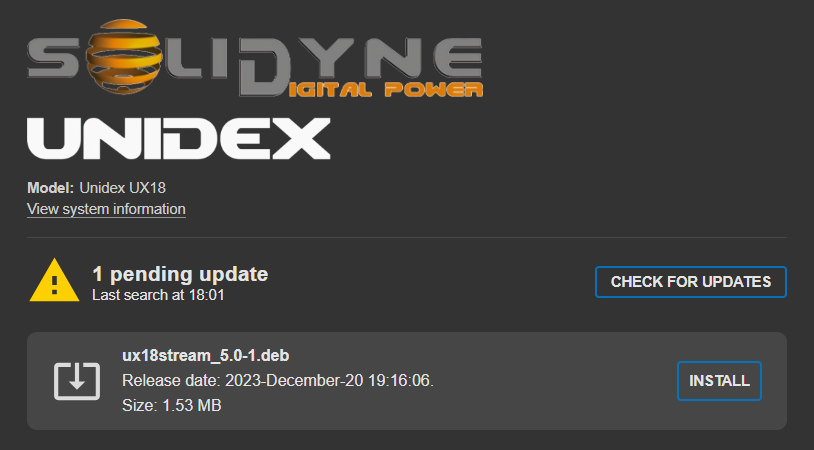
- Click CHECK FOR UPDATES.
- If there are no updates, the system will report that it is up to date.
- If updates are available, a list with details will be displayed.
- Updates are not installed automatically.
- To install an update, press INSTALL.