Available Streaming Types
- Streaming 1 (outgoing)
Uses the RTP protocol, ideal for transmitter link (STL). - Streaming 2 (outgoing)
Compatible with Shoutcast/Icecast servers for internet broadcasting. - Streaming 3 (incoming)
Can be RTP or a public HTTP stream.
When this function is enabled, the received audio is automatically decoded and switched, replacing the AES-1 input.
Signal Source and Send Level
The streaming uses the PROGRAM signal taken from the AES-1 output, both for uploading to Icecast/Shoutcast servers and for the RTP audio stream. The default output level (gain=0) is -20 dBfs referenced to 0VU (1 kHz @ 0VU = -20 dBfs).Gain is adjusted from the SETTINGS → OUTPUTS screen.
Streaming Services Configuration
It is accessed from the SETTINGS screen under the STREAMING option.It features four tabs to configure outgoing streaming services (UP-STREAM and RTP Link); incoming streaming (DOWN-STREAM); and network options.
UP-STREAM (TX)
The UP-STREAM tab allows you to configure a Icecast or Shoutcast streaming server to broadcast the program signal.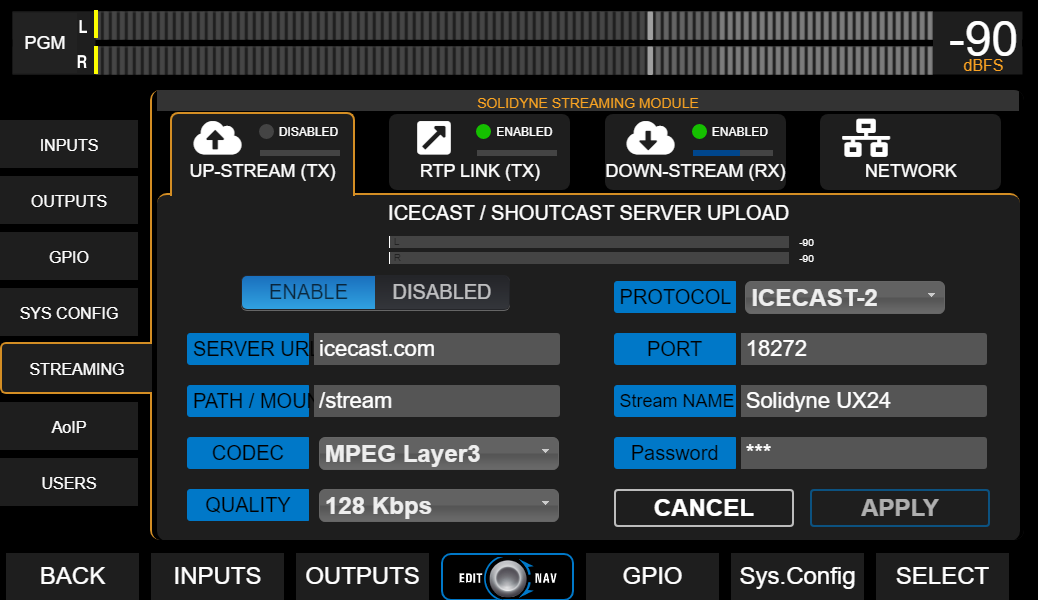
UP-STREAM Icecast/Shoutcast
- ENABLE/DISABLED: Enables or disables the streaming transmission when changes are confirmed by pressing APPLY.
- PROTOCOL: Defines whether the server is Icecast or Shoutcast type.
- SERVER IP: Destination IP address of the server.
- PORT: TCP listening port of the server.
- MOUNTPOINT: Unique name identifying the stream on the server.
- Stream NAME: Name identifying the stream.
- CODEC: Audio format for transmission (Opus or MP3).
- QUALITY: Bitrate for encoding.
- PASSWORD: Access key for publishing (if applicable).
- APPLY: Applies and saves changes, and starts or stops the broadcast (according to ENABLE/DISABLED status).
The configuration parameters for Icecast/Shoutcast are provided by the server provider.
RTP LINK
The RTP LINK tab allows configuring streaming to a specific IP address, for example, to send the program signal to a transmitter site (STL).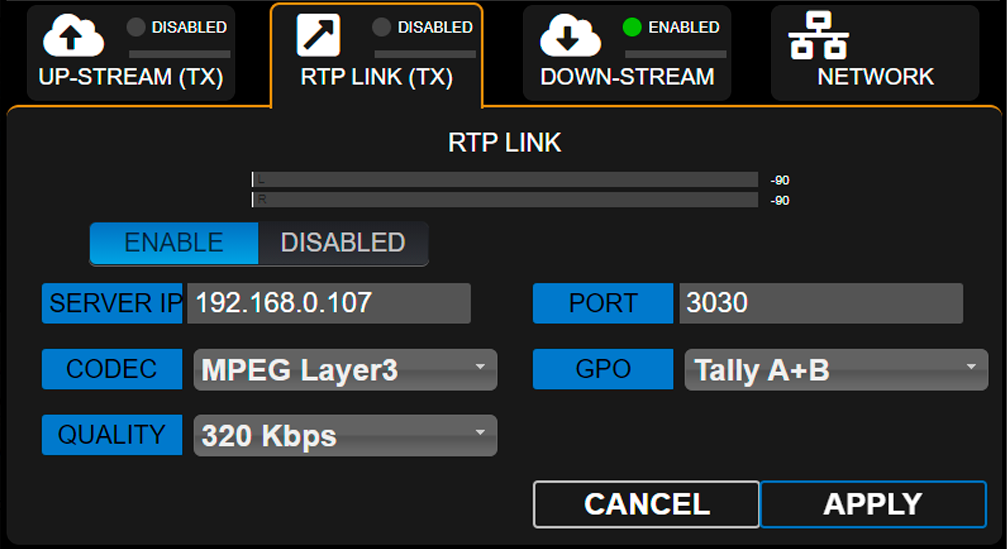
- ENABLE/DISABLED: Enables or disables RTP streaming when changes are confirmed by pressing APPLY.
- DESTINATION ADDRESS: Destination IP address.
- PORT: TCP transmission port.
- CODEC: Audio format for RTP (PCM / MP3).
- QUALITY: MP3 bitrate or PCM sample rate.
-
GPO: Enables sending on-air light (Tally Light) signals via TCP/IP for compatible Solidyne equipment.
- Studio A and B (lines 1 and 2 respectively)
- Studio B and A (reversed order)
- A+B (signal activates on both lines regardless of active studio)
Down-Stream (RX)
Allows configuration of an incoming streaming. When the DOWN-STREAM module is enabled (ENABLE), the decoded audio is internally routed to the AES-1 input, which changes its name to STREAM-1.In this mode, the rear panel AES-1 connector is disabled.
-
RUN/STOP
Starts or stops the streaming decoding when changes are confirmed with APPLY. -
PROTOCOL
Defines the type of incoming streaming. The following formats are supported:- Public HTTP and MMS streams encoded in PCM 16 (44.1/48 kHz), MP3 or Opus.
- RTP streams in PCM 16 (44.1 kHz) and MP3.
-
SERVER URL/IP
Name or IP address of the server generating the streaming. -
PORT
TCP port where the streaming is received.
Default value: 0. -
MOUNTPOINT
Unique name identifying the stream. -
APPLY
Applies configuration changes.
Step by step Download a step-by-step guide for configuring an incoming stream.
Network (Streamer Module)
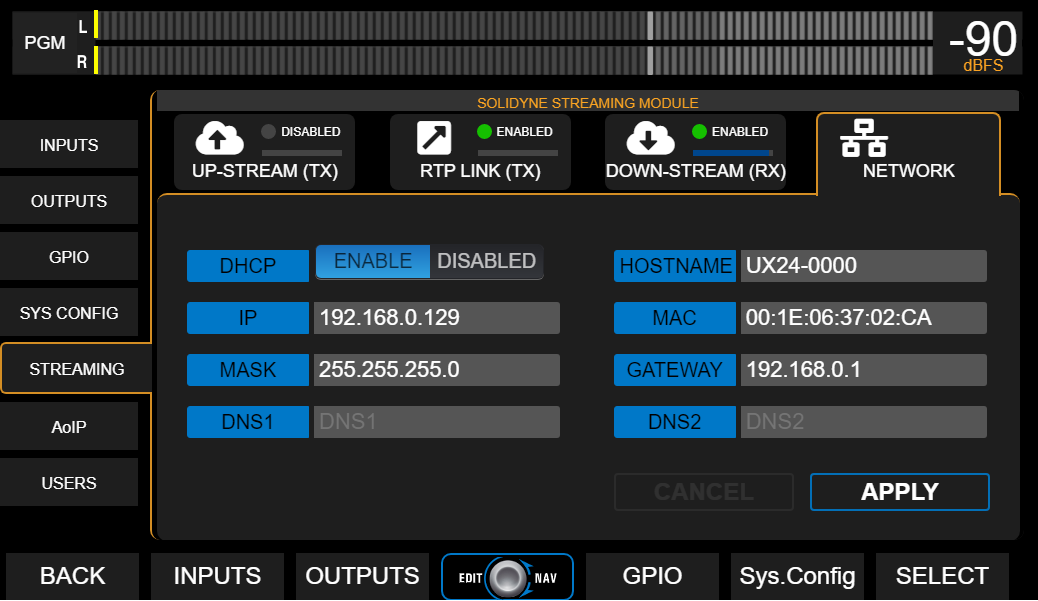
General network settings for the Streamer UX24 module (not to be confused with web control access).