

It is equivalent to a conventional VoIP call (similar to Skype or WhatsApp). It is used when required:
- Immediate interaction with the studios.
- Connection simplicity on networks over which you have no control (public Internet, Wi-Fi from various locations).
- Configured at a low bitrate, it ensures continuity even with restricted Internet.
- Configured at maximum quality, the audio is equivalent to direct sound in the studios.
Procedure for Operating with SIP
- Make a SIP Call
- Receive a SIP Call
- Return from Studio
1
Access the Connection Center
Turn the encoder until the CONNECTION CENTER screen appears and press it to enter the options.
You can also access it from the main screen by pressing the encoder.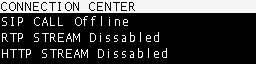
You can also access it from the main screen by pressing the encoder.
2
Select SIP CALL
In the options, select SIP CALL and press it. The SIP contacts list will open.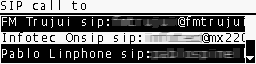
3
Choose Contact
Turn the encoder to select the desired contact.
Press to initiate the call.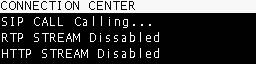
Press to initiate the call.
4
Connection Established
When the studio operator answers, the screen will show SIP CALL ENABLED.
5
End the Call
Return to the CONNECTION CENTER and press SIP CALL again.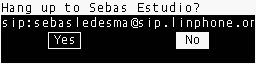
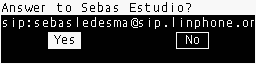
MX2200 Reception at the Studios
The SIP call can be received with any compatible system:- Hardware DECODERs.
- VoIP software on a PC.
- Paid services are recommended for stability.
- Free options also exist, with Linphone being a notable one.